
COM3205 – Photography Lighting
Photography Lighting continues concepts learned in Photography - Introduction (pre-requisite) and Photography - Composition. In this credit, you will apply various light sources, multiple lighting arrangements and metering techniques with an emphasis on flash and studio lighting.
Assessment breakdown:
#1. Theory = 20%
#2. Practice = 40%
#3. Final Project = 40%
REMINDER: Unless indicated otherwise, all assignments are to be turned in through the assignments tab in Microsoft Teams.
Theory
IN THIS SECTION WE WILL LEARN IMPORTANT CONCEPTS NEEDED TO DO THE PRACTICE. PLEASE ENSURE YOU HAVE REVIEWED THE MATERIALS BELOW BEFORE TAKING THE QUIZ ASSIGNED THROUGH TEAMS.
What makes a photograph, professional?
By now you have already separated yourself from the “pack” with what you learned in Photography–Introduction. You learned some basic rules that 99% of people don’t apply. In Photography–Composition, professional imagery is the aim. If you know how to technically utilize a camera, skillfully arrange a composition, and correctly enhance an image, you can produce masterpieces. Let’s learn how to improve in all three of these domains inside of Presentation 1.
Practice
IN THIS SECTION YOU WILL APPLY WHAT YOU LEARNED IN THE THEORY SECTION. THE AIM OF PRACTICING IS TO EQUIP YOU WITH THE KNOWLEDGE AND SKILLS NEEDED TO CHOOSE AND CREATE YOUR OWN FINAL PROJECT. CLICK ON THE BUTTON BELOW TO DOWNLOAD A PRACTICE PORTFOLIO TEMPLATE (MOVE IT TO YOUR STUDENT FOLDER) AND CAREFULLY REVIEW THE INSTRUCTIONS.
> How to do Practice Portfolio in Multimedia (00:00)
> Student Example
Include the following challenges, plus pictures of any other in-class activities you completed (earn bonus marks), inside your practice portfolio:
#1 – Lighting Case Studies
1. Identify and describe different methods of image capture appropriate to various light conditions.
A wealthy relative left you a voicemail with the following proposition. “Hey [your name]! I know you are in multimedia and would like to hire your skills for [choose ONE case study below]. If you provide a detailed list of what you will need (camera, lights, backdrops and other equipment) AND a detailed sketch of your lighting set-up, I will give you my MasterCard world elite and fund everything.”
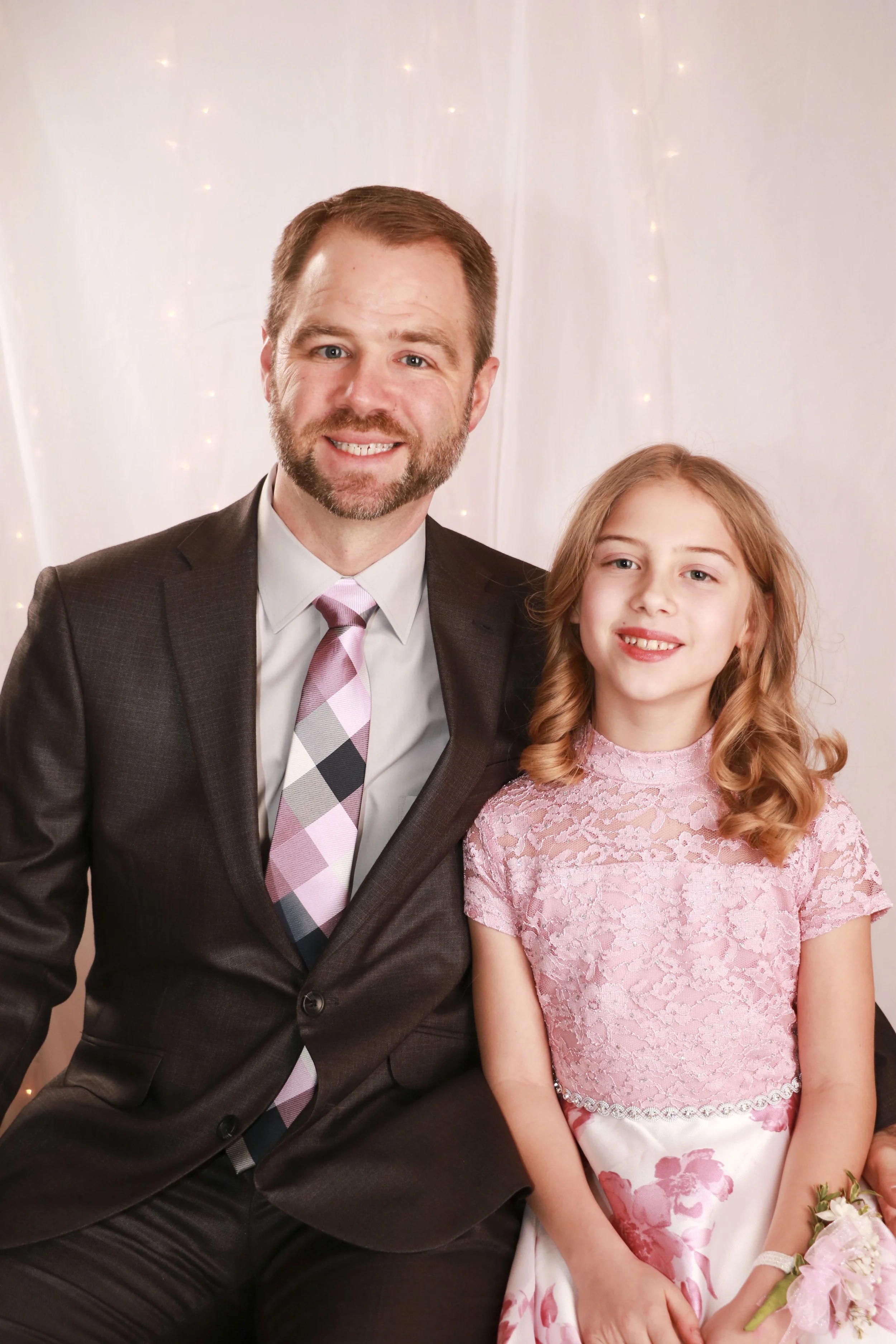
Case 1 - Daddy Daughter Dance: You are hired to provide photography services for a daddy-daughter dance being held in a large room. Specifically, you have been asked to set-up a display area where guests can come get a photo taken. The venue will be overall darkened for the dance. There are strobes, spill light from the opened doors, and some stage lights present.
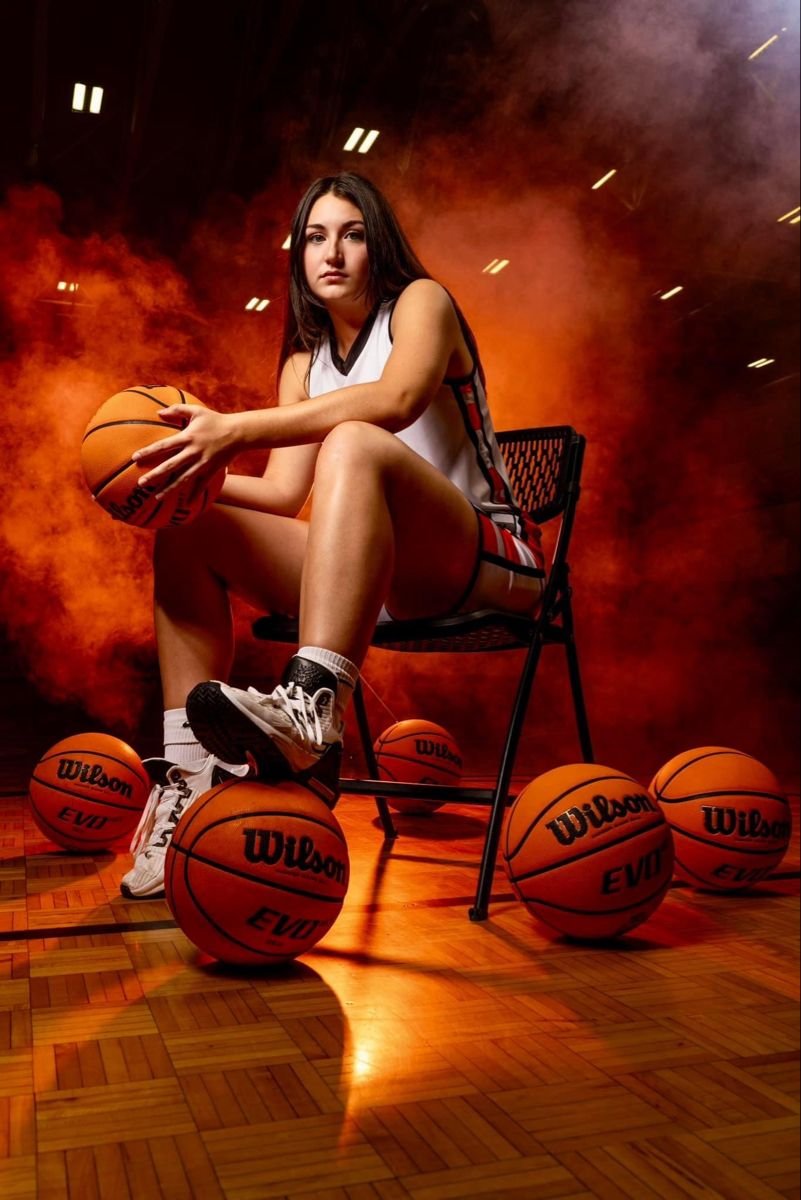
Case 2 - Semi-pro Basketball Photoshoot: You are hired to conduct a sports photoshoot for semi-pro basketball team that you relative owns. Players have been instructed to wear their game uniforms and come into the gym one at a time to get a series of static/action poises. The gym has standard built in overhead lights and is clean and tidy.
In your practice portfolio, add the name of your chosen case, your camera/lighting wish list and a birds eye sketch of your set-up (include captions).
#2 – Light Studies
2. Apply the theory and operation of light-metering devices and electronic-flash devices in a photographic assignment.
4. discuss camera stabilization techniques; e.g., tripods
For this assignment, you will photograph the same subject (person, prop, etc.) and composition under SIX different light sources. Maintain the same distance and framing of the subject for each photo (background will vary).
Examples including both natural (sunny, overcast) and artificial light sources (tungsten, fluorescent, camera flash, studio lighting, external light source, etc.)
Combine your six images into a contact sheet and label them with their respective light source. Upload an image of your contact sheet (image grid) to your portfolio.
#3 – Studio Shoot Advertisement

3. Apply studio lighting techniques to a photographic assignment
For this challenge you will do a studio photoshoot of a model featuring some sort of product (shoes, cologne, food item, etc.) and turn it into a basic print advertisement (Width: 8.5”, Height: 11”, Resolution: 300ppi). Include the following in your ad:
> Company logo + tagline
> Your image as main visual
> Messaging (Header)
> Call to Action
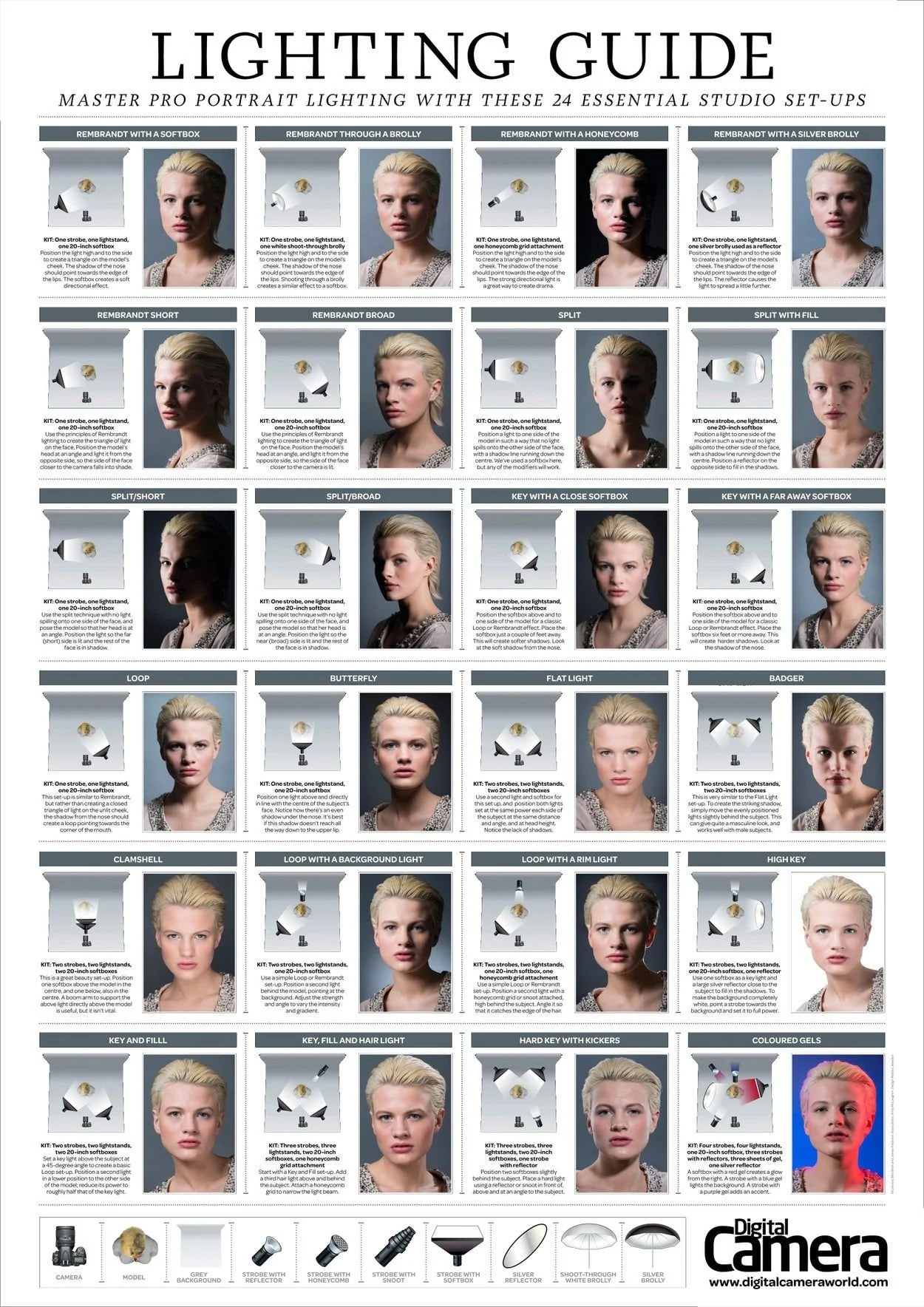
The lighting should compliment the brand being featured and match the mood/tone of the product (refer to the lighting guide chart below for inspiration). Research existing ads for the company’s product you are promoting and see what kind of lighting they typically use in their photography.
You have access to 3 LED, Hue-adjusting studio lights and a black or white backdrop. In editing software such as Photoshop, you can remove the background and put in a desired one. If you’d like to replace the background use the white wall or greenscreen wall available to you.
Final Project
IN THIS SECTION, YOU WILL HAVE THE CHANCE TO CHOOSE AND DESIGN A PROJECT THAT RELATES TO WHAT YOU HAVE LEARNED IN THIS CREDIT (SEE FINAL PROJECT DESCRIPTION BELOW). PLEASE DOWNLOAD THE INSTRUCTIONS AND FOLLOW THEM CAREFULLY. PLEASE SEE ME IF YOU ARE STRUGGLING TO COME UP WITH A PROJECT IDEA OR NEXT ADDITIONAL GUIDANCE.
Final Project Description: For this final project, you will photograph and display a series of three related images using studio lighting. Caption how good composition was achieved, the exposure settings used for each image, and a thumbnail sketch of your lighting set-up.
> How to do Final Projects in Multimedia
> Final Project Ideas & Resources
> Student Example (Final Project)
RESOURCES:
> Slideshow Presentation Tips (PDF)
> Piximperfect (YouTube Channel)
> Phlearn (YouTube Channel)
> Photoshop Training C. (YouTube Channel)
> 30 Days of Photoshop (Website)
ACTIVITY FILES:
> Found Letters Scavenger Hunt (PDF)
> Light Painting (PDF)
SOFTWARE:
> Photopea.com (Free, Raster)
> GIMP (Free, Raster)
> Pixlr (Free, Photo)
ASSETS:
> Slidesgo.com (Free Ppwt. Templates)
> Dafont.com (Free Fonts)
> Google Fonts (Free Fonts)
> Unsplash.com (Free, Stock Images)
> Pexels.com (Free, Stock Images/Video)
> FreePik.com (Free Graphics)
> Blush.com (Free, Customizable Graphics)